How Many Photos Do You Need for Great AI Headshots?
The simple answer to how many selfies you need for great AI headshots — plus which photos to upload, what to avoid, and why variety matters more than quantity.

7 min read
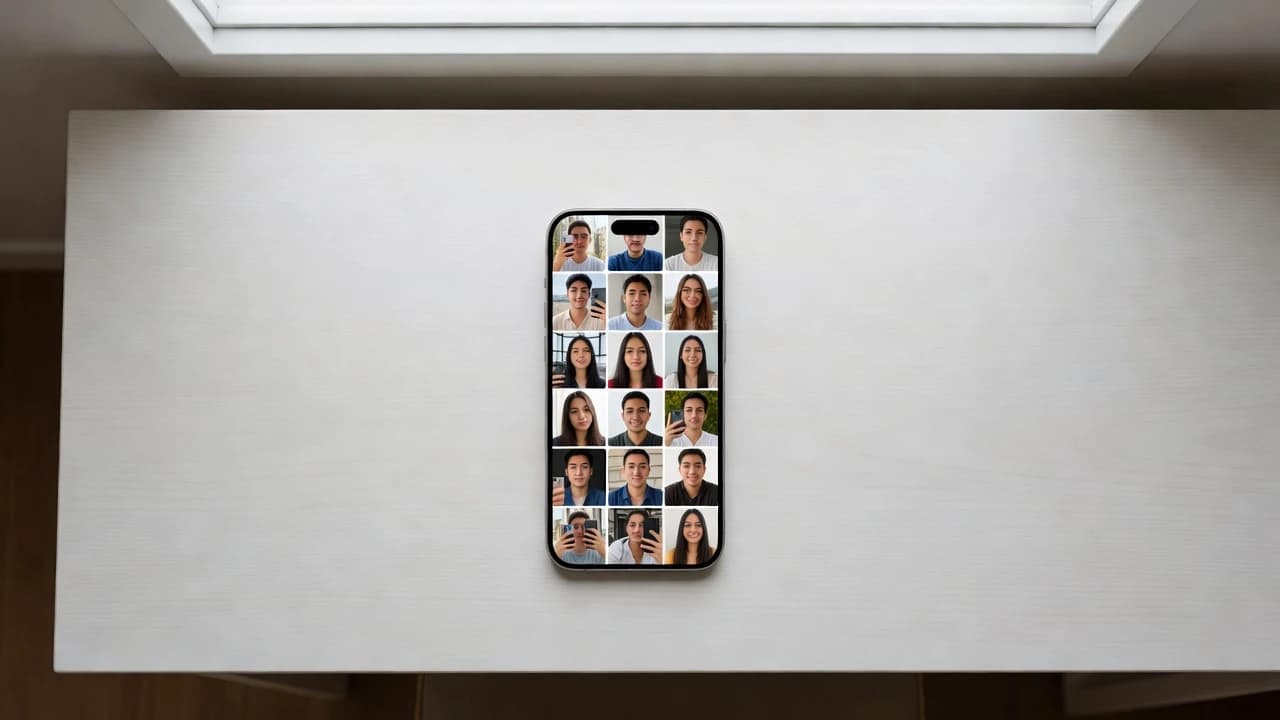
The short answer: most AI headshot apps work best with 10 to 20 clear, recent selfies of your face.That range gives the AI enough to learn what you really look like, without you having to dig through hundreds of old photos. You can sometimes get away with fewer, and uploading more rarely hurts — but 10 to 20 is the sweet spot for great results.
If that's all you needed, you're good to go. But if you want to understand whythat number works, exactly which photos to upload, and the simple mistakes that quietly ruin people's results, this guide covers it all in plain language.
The Simple Answer: How Many Photos for AI Headshots
Here's a quick guide to how the number of photos affects your results:
- 1–5 photos: Possible, but risky. The AI has very little to learn from, so your headshots may look slightly off or not quite like you.
- 6–9 photos: Okay. You'll usually get decent results, especially if the photos are varied and clear.
- 10–20 photos: The sweet spot. Enough variety for the AI to capture your real features and produce accurate, natural headshots.
- 20+ photos: Fine, but you hit a point where more photos don't add much. Quality and variety matter more than piling on extras.
So if you remember just one thing: aim for around 10 to 20 good selfies. That's the range that consistently gives the best results across most AI headshot tools.
Why Variety Matters More Than Quantity
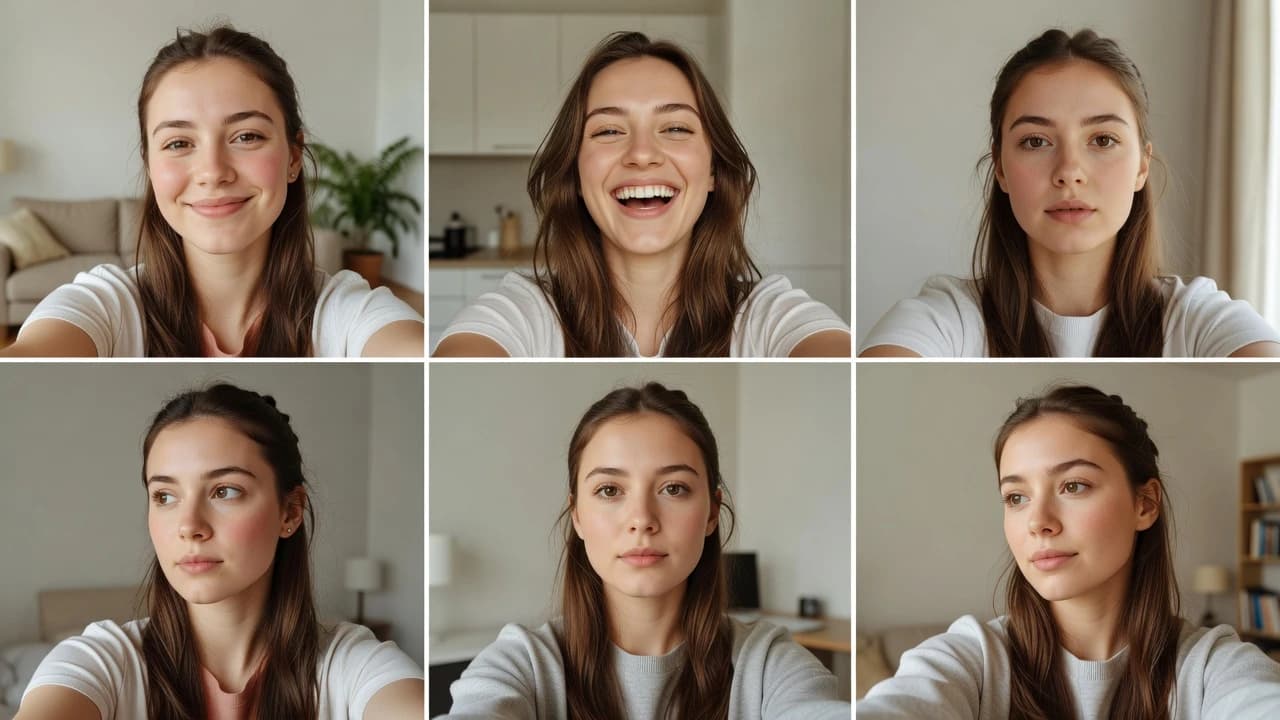
Here's the part most people miss: the AI doesn't just want more photos — it wants different photos. Twenty nearly identical selfies taken in the same spot, same shirt, same lighting, same angle, all in one minute, actually teach the AI very little. It sees the same thing over and over.
Think about how you'd describe a friend to someone who's never met them. You wouldn't show twenty copies of the same photo. You'd show them smiling, looking serious, from the front, from the side, in different light. That mix is what helps the picture click. AI works in a similar way: it learns better from a varied set of examples than from many repeats. This is a basic idea behind how machine learning works, as explained in IBM's overview of machine learning— varied, good-quality examples lead to better results.
So instead of asking "how can I take twenty photos as fast as possible," ask "how can I give the AI a good range of me?" A little variety goes a long way.
Which Photos to Include (and Which to Skip)
For the best results, your set of 10 to 20 selfies should include a healthy mix. Here's a simple checklist of what to include and what to leave out.
| Include These | Skip These |
|---|---|
| Clear, in-focus shots of your face | Blurry or low-light photos |
| A few different expressions (smiling, neutral) | Heavy filters or beauty smoothing |
| Front-facing and slight side angles | Sunglasses, hats, or anything covering your face |
| Recent photos that look like you today | Old photos from years ago |
| Good natural light (near a window works great) | Group photos or other people in the frame |
| A couple of different outfits or backgrounds | Photos where your face is small or far away |
The biggest one to avoid is group photos. If there are several faces in a shot, the AI can get confused about which one is you. Stick to solo selfies where your face is the clear focus. For a deeper dive on getting each photo right, our guide on selfie tips that actually work for AI headshots walks through lighting, angles, and expressions step by step.
The Role of Good Lighting
If you only improve one thing about your photos, make it the lighting. Good light is the secret behind almost every flattering photo. Soft, natural daylight — like standing near a window during the day — is ideal. It lights your face evenly and brings out your real features without harsh shadows.

Avoid taking all your selfies under harsh overhead lights or in a dim room. Try not to have a bright window directly behind you, which turns your face into a dark silhouette. A few minutes near a window in the daytime will give you clearer, better photos than any expensive setup — and clearer photos in means better headshots out.
Can You Use Too Few or Too Many?
Yes to both, in different ways. Use too few — say, one or two photos — and the AI simply doesn't have enough to work with. The results can look generic or not quite like you, because it's filling in a lot of blanks.
On the other end, dumping in 50 or 100 photos won't make your headshots dramatically better, and it can even hurt if most of them are low quality or repetitive. A handful of bad photos in a big pile can pull your results in the wrong direction. It's better to hand-pick 10 to 20 of your best, clearest, most varied selfies than to upload everything you have. Quality and variety win over raw quantity every time.
Why This Photo Is Worth Getting Right
It's easy to think of a profile photo as a small detail, but it does a lot of heavy lifting. People form an impression of you almost instantly. Research from Harvard Business Review on first impressionsshows that viewers judge things like competence and trustworthiness in a fraction of a second — often before they read a single word about you.
That's exactly why it's worth spending a few extra minutes choosing good selfies. AI-generated photos have become one of the most common everyday uses of artificial intelligence, according to Forbes' reporting on AI trends. A good headshot is one of the simplest, highest-impact ways to present yourself well online — and now it takes minutes instead of a full studio visit. If you're weighing your options, our comparison of AI headshots vs. a studio photoshoot breaks down the trade-offs.
Get Great AI Headshots From Your Selfies
Now that you know how many photos to use and which ones work best, the rest is easy. SelfAI - AI Photo Studioturns your everyday selfies into polished, professional headshots in about two minutes. You just upload your best 10 to 20 photos, pick from dozens of styles, and let the app do the work — no photographer, no studio, no waiting around.
SelfAI keeps your real features and expression while placing you into beautifully lit, professional portraits, and it works on iPhone, Android, and the web. Whether you need a headshot for LinkedIn, your resume, a dating profile, or all of the above, gathering a good set of selfies is the only homework you have — SelfAI handles everything else. To make sure your photos are as strong as possible before you start, take a quick look at our complete guide to AI photo studios.
Written by
Sarah Brunner
Content Writer & Portrait Photography Editor
Sarah writes about professional headshots, personal branding, and how AI is changing the way people present themselves online. She tests every portrait style she recommends and turns what she learns into practical, no-nonsense guides for readers who want photos they actually like.
More articles by SarahReady to Get Your AI Professional Headshots?
Download SelfAI and turn your selfies into stunning professional headshots in minutes. Available free on iOS, Android, and Web.