Best AI Photo App in 2026: What to Look For (and What to Avoid)
The best AI photo app in 2026 gets your likeness right, lights it like a studio, and costs less than a photographer. Here's what to check before you download.

9 min read
The best AI photo app in 2026 is the one that turns ordinary selfies into a natural, professional-looking photo in a few minutes, without the price or hassle of booking a studio. SelfAI - AI Photo Studio is an AI photo app that does exactly that: it turns everyday selfies into professional headshots, business photos and profile pictures in about two minutes, for anyone who needs a better photo fast, on iPhone and on the web. This guide is not a ranked list of app names. It is a practical, criteria-based way to judge any AI photo app, so you know exactly what you are getting before you upload a single selfie.
An AI photo app is a mobile or web tool that uses a small set of your selfies to generate new, edited photos of you — usually styled as headshots, portraits or profile pictures — instead of requiring a camera, a studio, or a photographer in the room. The category has grown fast because it solves a genuinely common problem: getting a decent, presentable photo of yourself on short notice, without booking anyone or owning a real camera.
What Makes the Best AI Photo App in 2026?
The best AI photo app is judged on one thing above all: whether the photo it produces actually looks like you, not like a polished stranger wearing your face. Everything else — style variety, speed, price, privacy — matters too, but likeness accuracy is the line between a photo you will actually use on LinkedIn or a dating profile and one you quietly delete. The sections below walk through the criteria worth checking before you trust any AI photo app with your selfies, using SelfAI as the worked example of how each one gets solved in practice.
9 Things That Actually Matter in an AI Photo App
Marketing pages tend to show the best possible output. A more useful way to judge an app is to run it against a checklist before you ever open your camera roll:
- Likeness accuracy. The output should look recognizably like you on a normal day, not an idealized stranger who happens to share your hair color.
- Lighting realism. Good AI photos use soft, directional light that reads like a studio softbox or a bright window, not a flat, plasticky filter.
- Style variety. A useful app offers dozens of looks — corporate, casual, creative, outdoor — generated from the same set of selfies.
- Generation speed. Photos should be ready in minutes, not hours, so a LinkedIn deadline or a last-minute application does not become a problem.
- Resolution. Downloads need to be sharp enough to print or use full-size on a profile page, not a soft, compressed thumbnail.
- Price and value. A fair app is upfront about cost and does not lock basic, usable downloads behind a surprise paywall after you have already uploaded photos.
- Privacy and photo handling. You should know what happens to the selfies you upload and be able to delete them and your results.
- Platform coverage. The app should work wherever you actually are — iPhone or a browser — without forcing you onto a device you do not own.
- Ease of use. Uploading selfies and getting results should take a few taps, with no manual or tutorial required.
AI Photo App Criteria at a Glance
The table below lines up what separates a genuinely good AI photo app from one that only looks good in its own marketing screenshots, plus how SelfAI approaches each criterion in practice.
| Criterion | What Good Looks Like | How SelfAI Handles It |
|---|---|---|
| Likeness accuracy | Recognizable as you, not an idealized stranger | Generated from your own selfies, keeping your real features and expression |
| Lighting realism | Soft, directional light like a studio or bright window | Realistic studio and natural-light styles instead of a flat filter |
| Style variety | Dozens of usable looks from one upload | 50+ styles, including corporate, casual, creative and dating photos |
| Speed | Results in minutes, not hours | Photos generated in about two minutes |
| Resolution | Sharp enough to print or use full-size | High-resolution downloads on every plan |
| Price | Transparent, no surprise paywalls | Free to try, then a clear monthly or one-time lifetime plan |
| Privacy | Clear on what happens to uploaded selfies | Selfies are used only to generate your own photos |
| Platform coverage | Works wherever you actually are | Available on iPhone and on the web |
Best AI Photo App Use Cases: LinkedIn, Resumes, Dating and More
A good AI photo app earns its place by solving several real jobs at once, not just one. Here is where it tends to fit into everyday life:
- LinkedIn and networking. A clean, well-lit corporate-style photo is one of the fastest ways to look credible on a profile recruiters actually check.
- Resumes and job applications. A professional photo attached to an application signals effort, even in markets where it is optional.
- ID-style and document photos. Some apps offer plain-background, front-facing styles suited to ID-style formats, though official acceptance always depends on the issuing authority.
- Dating profiles. Natural, flattering photos that still look like a normal, unposed moment tend to perform best.
- Team and company pages. Generating consistent headshots for a distributed or remote team skips the logistics of booking a photographer for everyone.
- Social media profile pictures. A quick style refresh for Instagram or a personal website, without a new photoshoot every time.
What an AI Photo App Is Not Good For
No AI photo app, SelfAI included, is the right tool for every situation, and it is worth saying so plainly instead of glossing over it. Official documents with strict biometric verification rules — passports, visas, and similar government-issued IDs — follow requirements set by the issuing authority, and no app can guarantee an AI-generated photo will be accepted; always check the current rules before submitting one. The same caution applies to journalistic or documentary use, where the photo needs to be an unedited record of a real moment rather than a generated one. And if someone specifically needs to see exactly how you looked in one unedited shot — a legal proceeding, a verification check, a moment that has to be literally real — a traditional, unedited photo is the right call, not a generated one. Being upfront about these limits is part of what makes an AI photo app trustworthy for everything it is actually good at.
Free vs. Paid: What an AI Photo App Should Actually Cost
Most AI photo apps worth using, SelfAI included, let you try the core experience free before you pay anything: download the app, upload selfies, and see the first results before committing to a plan. Paid access typically opens as one of two structures — a monthly subscription, or a one-time lifetime purchase. On SelfAI, that is a $14.99 monthly plan with unlimited AI headshots, 50+ styles and high-resolution downloads, or a $69.99 one-time lifetime plan, currently priced about 80% below its $349.95 list price, that unlocks everything permanently, including future styles, with no recurring charges. Either option is a fraction of the $100 to $500 a typical studio session costs, and well below the $500 to $1,000-plus a premium or corporate photographer can charge.
How SelfAI Makes This Easy
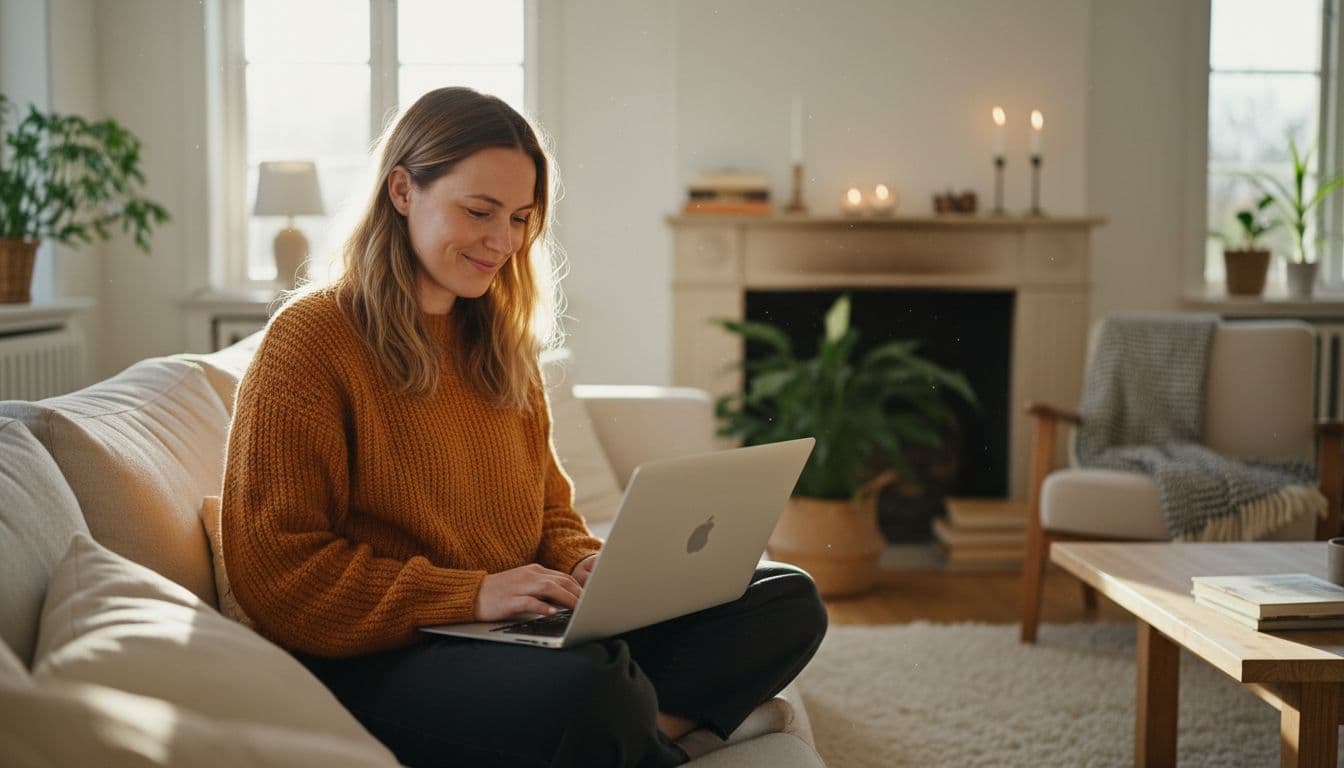
Put the criteria above together and here is what it looks like in practice. You open SelfAI, upload eight to twelve ordinary selfies — the kind already sitting in your camera roll, no special lighting or outfit required — and choose from more than 50 styles: corporate headshots, natural-light portraits, creative looks and more. About two minutes later, you have a set of photos that keep your real face and expression while looking lit and styled like a professional shoot, ready to download in high resolution. The free trial lets you see the quality on your own face before you decide anything, and if the results hold up, a monthly or lifetime plan unlocks unlimited generations and every future style at no extra cost.
There is no single "best" AI photo app for every person, but there is a best process for choosing one: check likeness accuracy, lighting, style variety, speed, resolution, price and privacy before you upload anything. Apps that hold up against that checklist, like SelfAI, are worth trusting with your selfies. Ones that skip past those questions in their own marketing are worth a second look before you hand over a photo of your face.
Frequently Asked Questions
What is the best AI photo app in 2026?
The best AI photo app in 2026 is one that produces photos that genuinely look like you, with realistic lighting, a wide range of styles, fast turnaround and clear pricing. SelfAI - AI Photo Studio meets that bar: it turns ordinary selfies into professional headshots and portraits in about two minutes, with 50+ styles on iPhone and the web.
How does an AI photo app turn selfies into professional photos?
An AI photo app studies a set of your selfies to learn your facial features and expression, then generates new images that place your likeness into professionally lit, styled scenes such as a studio backdrop, an office, or natural window light. The result keeps your real face while replacing the background, lighting and outfit with a polished, camera-ready look.
Is it safe to upload selfies to an AI photo app?
Uploading selfies to a reputable AI photo app is generally safe, but you should check what the app does with your photos before you use it. Look for a clear privacy policy stating your selfies are used only to generate your images, and confirm you can delete your uploads and generated photos whenever you want.
How much does a good AI photo app cost?
A good AI photo app usually offers a free trial so you can see the quality before paying anything. Paid plans commonly run around $10 to $20 a month, or a one-time lifetime purchase in the $50 to $100 range that unlocks everything permanently — both far cheaper than a $100 to $500 traditional studio session.
Can an AI photo app be used for passport or ID photos?
Some AI photo apps offer ID-style photo formats, but official passport and visa photos have strict biometric requirements set by each government, and acceptance is never guaranteed. Always check your issuing authority's current photo rules before submitting any AI-generated photo for an official document.
What's the difference between a free and paid AI photo app plan?
A free plan typically lets you try the app and preview sample results, often with limited styles or lower-resolution downloads. A paid plan usually unlocks unlimited generations, the full style library, and high-resolution downloads, either as a monthly subscription or a one-time lifetime purchase.
For a closer look at how the underlying technology works, see our guide to what an AI photo studio actually is. If you are weighing this against booking a real photographer, our AI headshots vs. professional photographer comparison and our breakdown of what a professional headshot costs in 2026 both lay out the numbers in more detail. And once you have picked an app, knowing how many selfies to upload makes a real difference to your results. To see how the photos actually get used, our LinkedIn profile photo guide covers what recruiters look for. Photography is a genuine skill and a licensed profession — the U.S. Bureau of Labor Statistics tracks it with its own training paths and pay scales, which is part of why traditional sessions cost what they do. AI-generated photography has become one of the more visible everyday uses of the technology, per Forbes' reporting on AI trends, and the reason a good photo matters at all traces back to research from Harvard Business Review on first impressions, which found people judge competence and trustworthiness in a fraction of a second.
Explore the full range of looks on the SelfAI features page to see exactly which styles and formats are included before you upload your first selfie.
Written by
Sarah Brunner
Content Writer & Portrait Photography Editor
Sarah writes about professional headshots, personal branding, and how AI is changing the way people present themselves online. She tests every portrait style she recommends and turns what she learns into practical, no-nonsense guides for readers who want photos they actually like.
More articles by SarahTry the AI Photo App Built Around These Criteria
Download SelfAI and turn your selfies into professional headshots in minutes. Free to try on iOS and on the web.