Best AI Profile Picture App in 2026: A Practical Buyer's Guide
The best AI profile picture app in 2026 nails your likeness, offers real style variety and clear pricing. Here's the checklist — and how SelfAI measures up.

8 min read
The best AI profile picture app in 2026 is the one that still looks like you, in a style that actually fits wherever you're posting it — not the one with the flashiest filter pack. SelfAI - AI Photo Studio is built around exactly that idea, and this guide walks through the criteria that separate a genuinely good AI profile picture app from a disappointing one, so you can judge any app by the same checklist.
SelfAI - AI Photo Studio is an AI photo app that turns ordinary selfies into professional headshots, creative portraits and everyday profile pictures in about two minutes, on iPhone and on the web. Everything below applies to any AI profile picture app you're considering, with SelfAI as the worked example.
What Is the Best AI Profile Picture App, Really?
An AI profile picture app is a programthat takes a handful of your own selfies and uses a trained image model to generate a new, styled portrait of you — sized and lit for the small, often circular frame most platforms crop a profile photo into. You upload your photos, the app processes them in the background, and a few minutes later you get back a set of options ready to set as your picture on any account.
The category exists because one old photo rarely works everywhere. The headshot you use on LinkedIn reads as too stiff for a dating app, the casual photo you love doesn't look professional on a company page, and most people don't own studio lighting or want to book a photographer just to refresh a profile picture. The best AI profile picture app solves that by generating a whole range of looks from one set of selfies, so you can pick the right style for each place you show up online.
The Criteria That Actually Matter in an AI Profile Picture App
Ignore the marketing copy and judge any AI profile picture app on these points instead. Every one of them is something you can verify from your own results within the first few minutes of using an app.
- Likeness accuracy. Does the output still look like you, or like a generic AI face wearing your outfit?
- Style range. Is there a real spread of looks — professional, casual, creative — or just one filter applied over and over?
- Lighting realism. Are shadows, highlights and skin texture natural, or does the photo look waxy, overexposed or artificial?
- Generation speed. Do you get results in minutes, or are you stuck waiting in a queue for hours?
- Resolution and crop. Are downloads sharp at a small size, and do they still look good once a platform crops them into a circle?
- Privacy and photo handling. Is it clear how your selfies are stored and used, and can you delete them afterward?
- Platform coverage. Can you actually use the app where you need it — iPhone and the web — without being locked out?
- Price and value. Is there a free way to test quality before you pay, and is the paid pricing upfront and clear?
Likeness and style range matter most for a profile picture specifically, because the whole point is a photo that represents you accurately across several very different contexts — a work account, a dating app, a group chat — not one narrow look.
AI Profile Picture App Criteria at a Glance
Here's the same checklist as a quick-reference table, including how SelfAI approaches each one.
| Criterion | What Good Looks Like | How SelfAI Handles It |
|---|---|---|
| Likeness accuracy | Output is clearly recognizable as the same person, same face shape and features | Trained from your own selfies to keep your real features and expression |
| Style range | Genuine spread of looks, not one filter repeated with different colors | 50+ styles spanning corporate, natural light and creative portraits |
| Lighting realism | Natural shadows and highlights, no waxy or overexposed skin | Every style built around soft, flattering, photograph-realistic light |
| Speed | Finished results within minutes of uploading | A full set of styled profile pictures in about two minutes |
| Resolution & crop | Sharp even after a platform crops it small or circular | High-resolution downloads included on every paid plan |
| Privacy & photo handling | Clear policy on storage, use and deletion of your selfies | Photos are used to generate your pictures, with account controls to manage your data |
| Platform coverage | Works where you actually need it | Available on iPhone and on the web |
| Price | Free way to test quality, then clear paid pricing | Free to try, then a $14.99 monthly plan or a $69.99 lifetime plan |
Best AI Profile Picture App Use Cases
A good AI profile picture app earns its keep across several accounts at once, not just one. Here's where it makes the biggest difference:
- Instagram, X and TikTok. A clean, current photo that still looks like you once it's cropped into a tiny circle.
- Dating apps. A natural, flattering photo for Tinder, Bumble or Hinge that matches who actually shows up on the date.
- LinkedIn and professional pages. A polished photo without booking a photographer before a job search.
- Messaging and community apps. A friendlier picture for WhatsApp, Discord or Slack than a random old photo from your camera roll.
- Founders and freelancers. A consistent, credible picture across a portfolio site, bio and every platform where clients look you up.
Our dating profile photo tips and our LinkedIn profile photo guide both go deeper on what works for those two specific contexts once you have a photo in hand.
What an AI Profile Picture App Isn't Good For
Honesty matters more than a sales pitch here. An AI profile picture app is not the right tool for official documents with strict, government-set biometric rules — passports, visas and national ID cards — unless an app specifically states it meets your country's requirements, which most general-purpose apps do not. It is also the wrong tool for any system that needs a live, unedited photo to confirm who you are right now, such as a workplace badge check or a video identity-verification step.
There's a deeper reason to keep the photo recognizable, too. Research from the University of Aberdeenfound that people's snap judgments of trustworthiness from a face are easily shifted by whatever face they saw moments before — first impressions online are already fragile, so a profile picture that doesn't match the real you undermines the one thing it's supposed to do. Use an AI profile picture app to put your best, most current self forward, not to look like someone else.
Free vs. Paid: What a Best AI Profile Picture App Should Cost
Most AI profile picture apps worth using, SelfAI included, let you try the core experience free before paying anything: download the app, upload selfies, and see your first results before committing to a plan. Paid access on SelfAI opens as one of two clear plans — a $14.99 monthly plan with unlimited AI photos, 50+ styles and high-resolution downloads, or a $69.99 one-time lifetime plan, currently priced about 80% below its $349.95 list price, that unlocks everything permanently, including future styles, with no recurring charges.
Treat the free tier as your accuracy test. If the free results already look like you, a paid plan is a safe next step. If they don't, no pricing plan fixes a weak underlying likeness model.
How SelfAI Makes This Easy
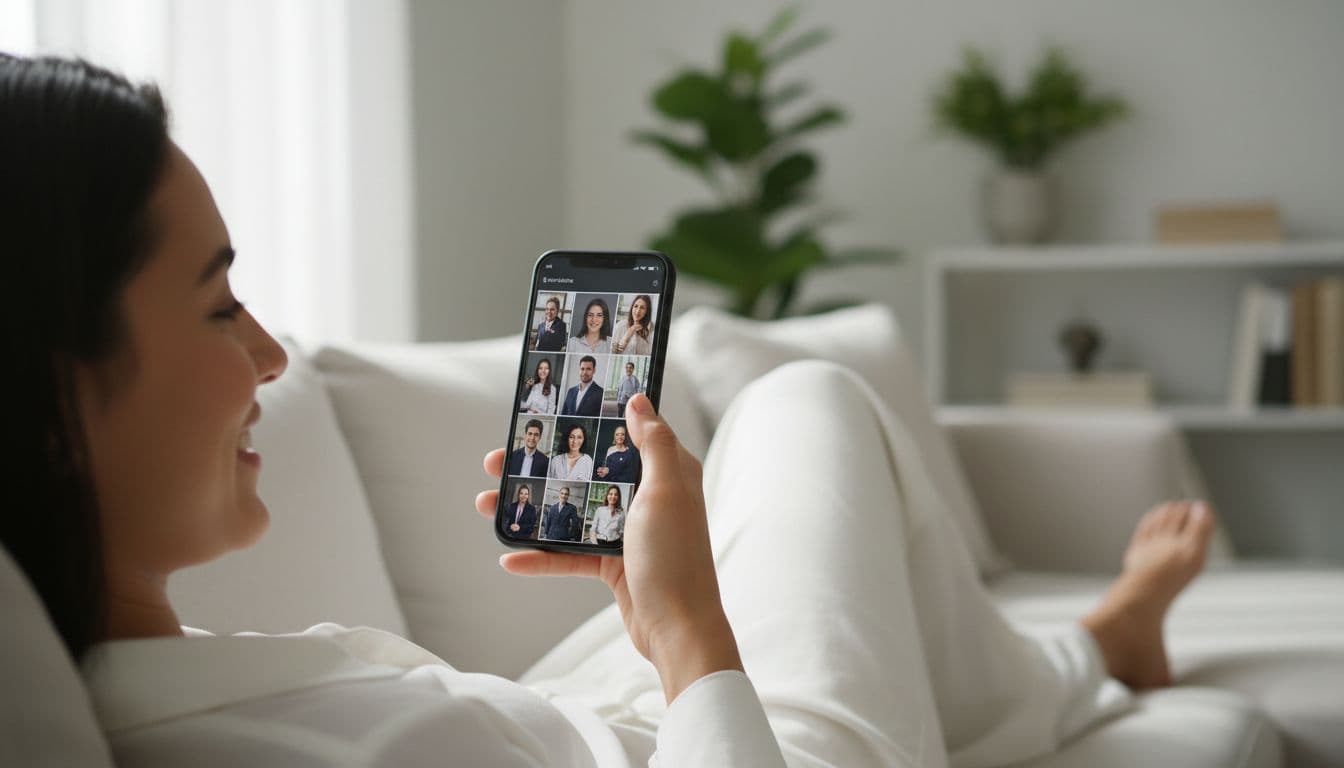
Put the criteria above together and here's what it looks like in practice on SelfAI. You upload eight to twelve ordinary selfies — the kind already sitting in your camera roll, no special lighting or outfit required — and choose from more than 50 styles spanning corporate headshots, natural-light portraits and creative looks. About two minutes later, you have a set of photos that keep your real face and expression while looking sharp, well-lit and ready to crop into a profile picture for any platform.
Our guides on selfie tips for better AI results and the best photo styles for social media both help you get more out of your first upload. You can also browse the full range of looks on the SelfAI styles page before you upload a single selfie.
A study published in Cyberpsychology: Journal of Psychosocial Research on Cyberspace found that people actually rated AI-generated profile pictures as higher quality than professional photographs, and that knowing a photo was AI-generated did not meaningfully change how trustworthy or attractive people found the person in it. In plain terms, a well-made AI profile picture doesn't cost you the first impression it's supposed to create. The concept itself goes back to the earliest days of online avatars — as Wikipedia's entry on the digital avatar notes, it has always been a stand-in image meant to represent a real person online, which is exactly the job a good AI profile picture app is built to do well.
Frequently Asked Questions
What is the best AI profile picture app in 2026?
The best AI profile picture app in 2026 is one that produces a photo that genuinely looks like you, offers a real range of styles for different platforms, and charges a clear, upfront price. SelfAI - AI Photo Studio is built around exactly those criteria, generating 50+ styles from a handful of selfies in about two minutes.
Is it OK to use an AI-generated photo as my profile picture?
Yes, as long as it still looks like you. A good AI profile picture keeps your real face, features and expression while improving lighting and polish, which is different from using a photo of someone else or a heavily altered image that no longer resembles you. Most platforms have no rule against an AI-enhanced photo, only against a misleading one.
How is an AI profile picture app different from a filter?
A filter applies the same effect on top of your existing photo, while an AI profile picture app generates an entirely new, professionally lit portrait trained on your features from several selfies. The result looks like a real photograph taken in different lighting and settings, not your original picture with a color overlay or stickers added.
Can I use an AI profile picture app for Instagram, LinkedIn and dating apps?
Yes. A good AI profile picture app generates enough style variety — professional, casual and creative — that you can pick a different look for each platform from the same set of selfies, rather than needing separate photos or separate apps for each account.
Is a free AI profile picture app good enough?
A free plan is worth trying first, since it lets you check likeness and quality on your own face before paying anything. Free tiers usually limit the number of styles or the resolution, so treat a free trial as a quality test, then upgrade to a paid plan for unlimited, high-resolution downloads.
How many selfies do I need to make an AI profile picture?
Most AI profile picture apps ask for eight to twelve clear, well-lit selfies from a few different angles. More variety in expression and angle generally helps the app capture your likeness more accurately across every style it generates.
Written by
Sarah Brunner
Content Writer & Portrait Photography Editor
Sarah writes about professional headshots, personal branding, and how AI is changing the way people present themselves online. She tests every portrait style she recommends and turns what she learns into practical, no-nonsense guides for readers who want photos they actually like.
More articles by SarahReady to Try the Best AI Profile Picture App for Yourself?
Download SelfAI and turn your selfies into a full set of profile pictures in about two minutes. Free to try on iOS and on the web.